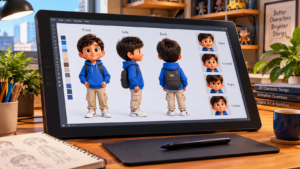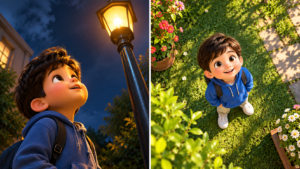
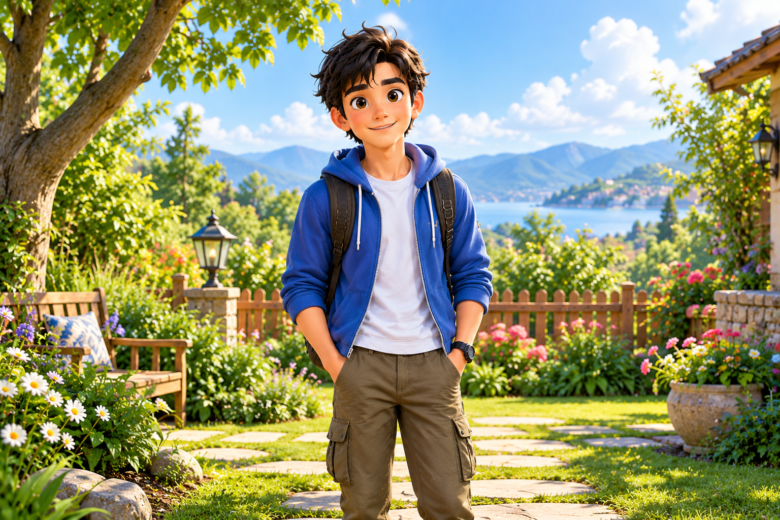
Generating stunning AI artwork often comes with a highly specific set of frustrations, and few things are more annoying than crafting the perfect prompt only to have the AI generate two identical characters standing side-by-side. Whether you are designing a single protagonist for a graphic novel or rendering vibrant 3D animated children’s characters, duplicate subjects ruin the composition and render the image unusable. This phenomenon, often referred to as “cloning” or “twinning,” is a known limitation in latent diffusion models like Midjourney, DALL-E 3, and Stable Diffusion. Understanding why the AI makes this mistake is the first step to permanently fixing it in your workflow.
When an AI image generator creates a duplicate character, it is usually not ignoring your prompt; rather, it is struggling to interpret the relationship between your aspect ratio, your composition instructions, and the empty space in the frame. By adjusting how you describe the scene, utilizing negative constraints, and mastering aspect ratios, you can force the AI to render exactly one version of your subject—or keep distinct characters completely separate without them multiplying.
The Mechanics of AI Character Duplication
To stop duplicate characters, you must first understand why the AI generates them. AI models do not “understand” objects the way humans do; they recognize patterns in noise. When the AI processes a prompt, it distributes the “concept” of your text across the digital canvas.
If your canvas is too wide and your prompt does not give the AI enough background details to fill the empty space, the model panics. Its primary goal is to fill the resolution with relevant patterns. If the only strong pattern it has is your character description, it will paint that character on the left, and then paint it again on the right to balance the image. This is why character duplication happens almost exclusively in wide aspect ratios (like 16:9 or 21:9) and rarely in vertical or square formats.
Furthermore, if your prompt includes plural nouns, ambiguous framing terms, or excessive descriptions of body parts (e.g., describing the eyes, the hands, and the feet in separate sentences), the AI’s attention mechanism can fracture, leading it to build two separate bodies to accommodate all the detailed traits you requested.
Controlling Aspect Ratios and Framing
The most immediate fix for duplicate characters is managing your aspect ratio and explicitly describing the background. If you need a wide 16:9 wallpaper or video thumbnail, you cannot simply prompt for “a character standing.” You must tell the AI what is happening in the rest of the frame.
Utilize the Rule of Thirds
Instead of leaving the composition up to the AI, use framing keywords. Direct the AI to place the character in a specific location, which forces it to use the rest of the canvas for the environment.
- Keywords to use: “Rule of thirds composition,” “character positioned on the far left,” “wide establishing shot,” “expansive landscape.”
- By telling the AI where the character lives in the frame, it is less likely to accidentally drop a second character into the empty space.
Fill the Negative Space
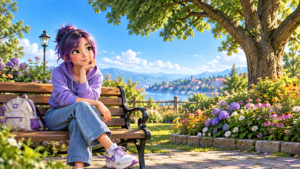
If you are generating a 3D animated scene of a single character in a food market, describe the market stalls, the colorful fruits, the hanging lights, and the cobblestone paths. When the AI has a rich environment to render, it expends its generative energy building the world rather than cloning the character to fill the void.
Precision Prompting for Multi-Character Scenes
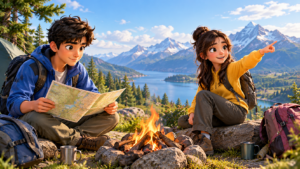
Duplication becomes significantly more complex when you want multiple characters in a scene, but you want them to remain distinct. For example, if you are generating an animated scene featuring a boy named Ahmed in a green shirt and a girl named Fatima in a red dress, the AI will often confuse the traits, resulting in two boys in green or two girls in red.
To prevent characters from bleeding into one another or duplicating:
- Use Distinct Actions: Give each character a completely different physical task. Instead of “Ahmed and Fatima standing,” use “A boy in a green shirt eating an apple, while a girl in a red dress reads a book.” Distinct actions force the AI to render distinct skeletons.
- Separate with Spatial Keywords: Tell the AI exactly where they are relative to each other. “A boy on the left side of the frame, a girl on the right side of the frame, separated by a wooden table.”
- Limit the Count: Always specify the exact number of people in the scene. Use “exactly two people” or “duo” to prevent a third duplicate character from wandering into the background.
The Power of Negative Prompting
Negative prompting is the most reliable technical tool for stopping duplicates. While your main prompt tells the AI what to create, the negative prompt tells it what to explicitly avoid. Most professional AI art generators allow you to input negative weights.
If you are generating a single character, your negative prompt should aggressively target cloning terminology.
- Essential Negative Prompt Terms: twins, duplicate, clone, multiple people, two girls, two boys, extra limbs, split screen, collage, double face, symmetrical twins, crowd, background characters.
If you are using Midjourney, you can append this to the end of your prompt using the --no parameter (e.g., --no twins, duplicate, multiple people, crowd). By explicitly banning these concepts, you drastically reduce the mathematical probability of the model rendering a clone.
Advanced Tool-Specific Solutions
Different AI models require slightly different approaches to completely eradicate character duplication.
Midjourney Strategies
In Midjourney, the --c (chaos) and --stylize parameters can inadvertently cause duplication if set too high, as the AI takes more artistic liberties. If you are getting duplicates, lower your stylize value (e.g., --s 100 or --s 50) and keep chaos at zero. Additionally, using the aspect ratio parameter with a specific framing keyword (like “solo portrait”) anchors the subject.
Stable Diffusion Techniques
Stable Diffusion users have access to advanced tools that completely eliminate the duplication problem.
- ControlNet: By uploading a stick-figure “pose” (OpenPose) containing only one skeleton, you mathematically restrict Stable Diffusion from drawing a second person, no matter how wide the canvas is.
- Regional Prompter: This extension allows you to split the canvas into invisible grids. You can prompt the left grid to contain “one boy” and the right grid to contain “empty garden landscape,” guaranteeing zero duplication.
DALL-E 3 Conversational Corrections
Since DALL-E 3 operates conversationally (often via ChatGPT), you do not use standard negative parameters. Instead, you must use highly explicit, conversational constraints in your initial prompt. Use phrases like: “Ensure there is only one single character in the entire image. Do not add any other people, background characters, or identical twins. The character must be entirely alone.”
Mastering AI character generation requires shifting your mindset from that of a casual prompter to an exact digital director. The AI does not intuitively know that a wide beautiful landscape should only contain one person unless you explicitly fill the rest of the canvas with environmental details. By leveraging specific framing terminology, aggressively utilizing negative prompts to banish “twins” and “clones,” and distinctly separating characters by action and location in multi-subject scenes, you can achieve perfect, single-subject renders every time. With these structural adjustments to your workflow, you will eliminate the frustration of duplicate characters and retain complete creative control over your digital canvas.
Frequently Asked Questions
Q1: Why does the AI always generate twins when I use a 16:9 aspect ratio?
Wide aspect ratios contain more horizontal empty space. If your prompt only describes a character and lacks environmental details, the AI attempts to balance the composition by copying the character to fill the empty space on the other side of the canvas.
Q2: What is the best negative prompt to stop multiple characters?
The most effective negative string to include is: twins, clone, duplicate, multiple people, crowd, two boys, two girls, extra limbs, split screen.
Q3: How do I generate two different characters without them blending together?
You must give them distinct physical locations and entirely different actions. Instead of just describing their clothes, describe what they are doing (e.g., one character is sitting and reading, the other is standing and cooking) and place them on opposite sides of the frame.
Q4: Does the word “solo” actually work to prevent duplicates?
Yes, “solo” or “solitary figure” are strong keywords, especially in models trained on Danbooru tags or specific art databases. However, it works best when combined with environmental descriptions that fill the rest of the image.
Q5: Can I fix a duplicate character after the image is generated?
If you have an otherwise perfect image with a cloned character in the background, you can use “Inpainting” (available in Midjourney’s Vary Region or Photoshop’s Generative Fill). Simply mask over the duplicate character and prompt for background elements like “a lush bush,” “empty wall,” or “a wooden barrel” to overwrite the clone.
Sources & References
- Stable Diffusion Art Documentation – Latent space resolution mapping and the mechanics of image duplication in high-width generations.
- Midjourney Parameter Guide – Advanced composition control, negative weights (
--no), and aspect ratio management. - The AI Art Composition Manual – Utilizing traditional photography framing (Rule of Thirds, Negative Space) in generative AI prompting.