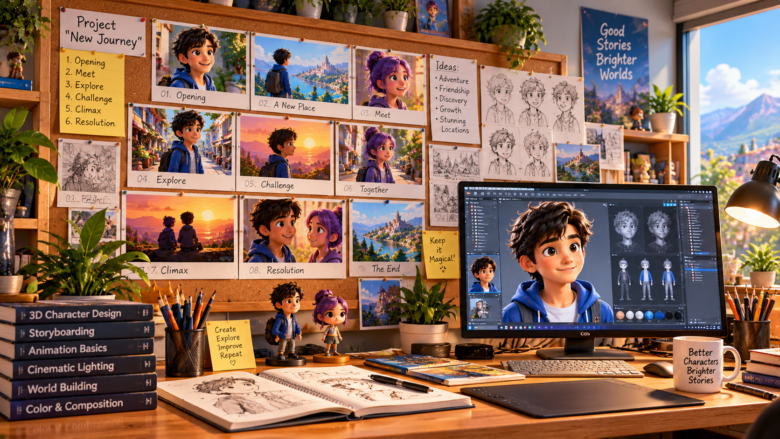
Creating a 3D animated project is a thrilling endeavor, but transitioning from a basic script to a fully realized visual narrative requires meticulous planning. Whether you are producing a short film, a commercial, or a serialized children’s animation, the storyboard is the foundational blueprint of your entire production. When dealing with a multi-scene project, the complexity multiplies. You are no longer just framing a single beautiful shot; you are managing the continuity of recurring characters, shifting environments, and a cohesive visual flow that spans minutes of screen time.
Planning a multi-scene 3D animation storyboard is a strategic process that bridges the gap between imagination and technical execution. By breaking your narrative into manageable, sequential visual chunks, you save countless hours in the modeling, texturing, and rendering phases. A well-constructed storyboard ensures that every transition is logical, every camera angle serves the story, and your production pipeline remains perfectly organized from the first frame to the last.
Step 1: Deconstruct the Script and Define the Scope
Before drawing a single frame or generating a single AI prompt, you must completely deconstruct your narrative. A multi-scene project requires a clear understanding of exactly how many distinct locations and character combinations will be needed.
Start by numbering your scenes. For instance, if your project spans eighteen distinct scenes, log each one in a master spreadsheet. Identify the primary location for each block of action. Grouping scenes by location—such as batching all the sequences that take place in a vibrant outdoor food market or a lush, blooming garden—allows you to optimize your workflow. In 3D production, it is highly inefficient to jump back and forth between different environments during the creation phase. By mapping the script geographically, you can build, light, and render all the garden scenes at once before moving on to the market, even if they appear out of order in the final video.
Step 2: Establish Character Continuity and Asset Lists
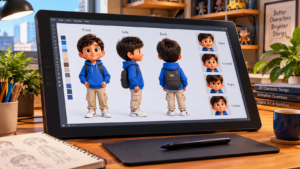
One of the greatest challenges in a multi-scene 3D storyboard is maintaining consistency with a large ensemble cast. When the narrative relies on multiple recurring characters, keeping track of who is in what scene is crucial for framing and composition.
Create a comprehensive asset list alongside your scene breakdown. If your project features an ensemble cast—such as Ahmed, Fatima, Mithu, Doru, Niko, Mika, Gappu, Soni, and Dori—you must dictate exactly which characters appear in each specific shot. This prevents framing errors in the storyboard. For example, a wide establishing shot of a bustling food market might require all nine characters to be visible in the background, whereas a subsequent close-up scene might only feature Fatima and Ahmed exchanging dialogue. Documenting these requirements in the storyboard ensures that your 3D models or AI generation prompts are accurate, preventing continuity errors where a character magically disappears between cuts.
Step 3: Sketching the Flow and Camera Angles
The core of storyboarding is visual translation. You do not need to be a master illustrator to create an effective storyboard; you simply need to communicate spatial relationships, camera placement, and character blocking. Use simple rectangular frames representing your final aspect ratio (usually 16:9 for video) and begin mapping the action sequentially.
Utilizing Standard Camera Shots
A dynamic 3D animation relies on a variety of camera angles to maintain viewer interest and convey emotion. Incorporate these standard shots into your storyboard panels:
- The Establishing Shot (Wide Angle): Used at the beginning of a new scene to show the audience the environment. Essential for showcasing complex sets like a detailed marketplace or a sweeping landscape.
- The Medium Shot: Captures characters from the waist up. This is the workhorse of your storyboard, used for most dialogue and general interaction.
- The Close-Up: Focuses tightly on a character’s face or a specific object. Use this to highlight emotional reactions or crucial story details.
- Over-the-Shoulder: Perfect for conversations between two characters, establishing spatial relationship and depth.
Draw arrows within your panels to indicate camera movement (panning, tilting, or zooming) and character movement across the screen.
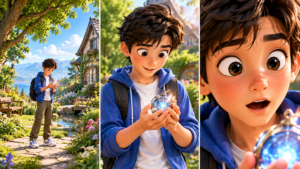
Step 4: Integrating Lighting and Mood Notes
In 3D animation, lighting is just as critical as modeling. A storyboard is the perfect place to establish the lighting design and color palette for each scene, ensuring a cohesive mood progression throughout the project.
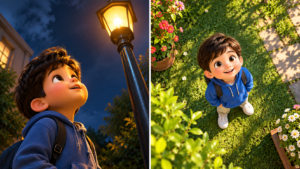
Beneath each storyboard panel, include detailed notes regarding the primary light sources. If Scene 1 takes place at dawn in a garden, note the requirement for soft, warm, directional sunlight and long shadows. If Scene 15 transitions to an indoor setting, specify ambient indoor lighting or a focused spotlight. By planning the lighting at the storyboard level, you provide a clear roadmap for the rendering engine or the AI generator. This prevents disjointed visual jumps, such as moving from a highly contrasted, moody scene immediately into a flat, brightly lit scene without a narrative reason.
Step 5: Adapting Storyboards for AI-Assisted Workflows
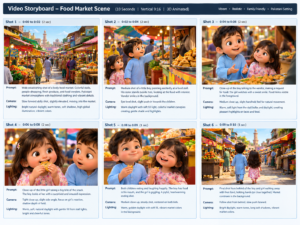
With the rise of AI image generators (like Midjourney or DALL-E 3) and AI video tools, the storyboarding process has evolved. If you are using AI to generate your 3D scenes or character reference plates, your storyboard panels must double as prompt blueprints.
Instead of just writing “Fatima walks to the stall,” your storyboard notes must be expanded into highly descriptive generative formulas. Break down the visual data of each panel into:
- Subject Description: Exact character details and clothing.
- Environment: Specific background elements (e.g., “colorful fruit stalls, cobblestone path, hanging lanterns”).
- Camera and Framing: (e.g., “low angle shot,” “wide establishing shot”).
- Style and Render Engine: (e.g., “3D animated style, Pixar render, Octane, Unreal Engine 5”).
By writing these prompt components directly into your storyboard document, you create a seamless transition from planning to asset generation. You can simply copy and paste your thoroughly planned descriptions into the AI, ensuring that all eighteen scenes maintain a unified aesthetic and consistent character portrayal.
Conclusion
Planning a multi-scene 3D animation storyboard is a rigorous but deeply rewarding process. It forces you to solve visual problems, refine your camera work, and solidify your narrative flow long before the demanding rendering process begins. By meticulously deconstructing your script, managing your recurring cast of characters, varying your camera angles, and detailing your lighting and AI prompts, you build an infallible roadmap. A strong storyboard not only saves time and computing power but ultimately elevates the final animation, ensuring that every transition is smooth and every scene captivates your audience.
Frequently Asked Questions (FAQs)
Q1: What software is best for creating digital storyboards for 3D animation?
For traditional sketching, Toon Boom Storyboard Pro and Adobe Photoshop are industry standards. For AI-assisted workflows, tools like Milanote or Miro are excellent for organizing reference images, generated panels, and text prompts in a sprawling, multi-scene layout.
Q2: How detailed should my storyboard drawings be?
The drawings do not need to be highly detailed masterpieces. Stick figures or basic geometric shapes are perfectly acceptable as long as the framing, character placement, and camera movements are clearly communicated.
Q3: How do I handle a large cast of characters in a single storyboard panel?
Instead of drawing every detail of each character, use simple shapes labeled with the characters’ names or initials. Focus on their blocking—where they stand in relation to the camera and each other.
Q4: Should I storyboard every single second of the animation?
No. Storyboard the key beats and significant changes in action or camera angles. A general rule is to create a new panel every time the camera cuts to a new perspective or a character performs a major action that alters the scene’s dynamic.
Q5: Can I use AI to generate the storyboard panels themselves?
Yes. Many creators now use tools like Midjourney to generate their storyboard panels by using specific framing keywords (e.g., “wide shot,” “close up”). This provides a highly accurate preview of the final 3D lighting and composition before actual 3D modeling begins.
Sources & References
- The Animator’s Survival Kit by Richard Williams – Core principles of visual storytelling and sequential scene planning.
- Blender Studio Production Guidelines – Best practices for asset management and scene breakdown in 3D pipelines.
- Cinematography: Theory and Practice by Blain Brown – Advanced techniques for camera framing, shot lists, and visual continuity in multi-scene narratives.