In the rapidly evolving world of artificial intelligence, generating high-quality images has become easier than ever. With tools like Midjourney, DALL-E 3, and Stable Diffusion, anyone can bring their imagination to life. However, creators, authors, and digital marketers often face one major hurdle: keeping consistent characters across multiple AI generations.
If you are creating a comic book, a storyboard, or a 3D children’s animation series, you know how frustrating it is when your protagonist looks completely different in every scene. One moment they have a specific hairstyle, and in the next, their facial structure or clothing changes entirely. For storytellers and brand developers, visual consistency is not just a preference; it is an absolute necessity.
In this comprehensive guide, we will explore the best techniques, prompt engineering secrets, and advanced tools to help you maintain perfectly consistent characters in AI image generators. Whether you are generating a hero for a graphic novel or designing recurring characters for a food market or garden setting, these strategies will give you total control over your AI outputs.
1. Create a Comprehensive Character Blueprint
The foundation of consistent AI characters lies in how precisely you define them in your initial text. If your prompt is vague, the AI will fill in the blanks with random elements. To prevent this, you must create a detailed “character blueprint.”
This blueprint should act as a fixed template that you copy and paste into every single prompt you write for that character.
Key Elements of a Character Blueprint:
- Age and Gender: Be exact (e.g., a 7-year-old girl, a 30-year-old man).
- Physical Build: Define their body type clearly. Instead of using contradictory terms, be specific (e.g., use “normal slim build” rather than mixing “slim” and “fat” which confuses the AI).
- Facial Features and Hair: Describe the eye color, hair color, hair length, and skin tone.
- Clothing and Colors: Always specify their clothing and exact colors. If you leave clothing colors out, the AI will randomize them in every scene.
Example of a Weak Prompt:“A young girl standing in a food market.”
Example of a Strong Blueprint Prompt:“3D children’s animation style, a 7-year-old girl named Fatima, normal slim build, with curly brown hair and green eyes, wearing a bright yellow dress and red shoes, standing in a vibrant food market, smiling enthusiastically.”
By using this detailed blueprint every time, you drastically reduce the AI’s creative liberty over your character’s fundamental design.
2. Utilize the Power of Seed Numbers
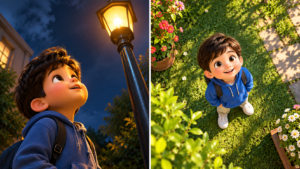
Every time an AI generates an image, it assigns it a unique identifier known as a “Seed Number.” Think of the seed number as the DNA of that specific image. If you generate a character you love and want to recreate them in a different pose or environment, using the exact same seed number is your best strategy.
How to Use Seed Numbers in Midjourney
- Generate your initial character.
- React to the generated image with an envelope emoji (✉️) in Discord. Midjourney will send you a direct message containing the image’s seed number.
- For your next prompt, type your new scene but add
--seed [your seed number]at the end of the prompt.
While the seed number won’t guarantee a 100% identical face in every single pose, it locks in the overall aesthetic, color palette, and artistic style, making your character look highly consistent.
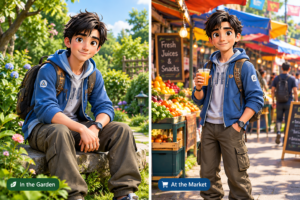
3. Leverage Character Reference Features (Midjourney --cref)
One of the most revolutionary updates in AI image generation was Midjourney’s introduction of the Character Reference (
--cref) parameter. This tool is specifically designed to lock onto a character’s facial features and clothing, transferring them to new generations.How to master
--cref:- Step 1: Generate or upload a clear, front-facing image of your character. Copy the URL of this image.
- Step 2: Write your new prompt (e.g., “The character running through a rainy street”).
- Step 3: Add
--cref [URL of your image]to the end of the prompt. - Step 4: Adjust the Character Weight (
--cw). By default, it is set to 100 (--cw 100), which copies the face, hair, and clothing. If you want the character to change clothes but keep the same face, set it to 0 (--cw 0).
This method is currently the most effective way to maintain character consistency for storyboarding without needing advanced coding knowledge.
4. Troubleshooting Common Inconsistencies
Even with the best prompts, AI can sometimes hallucinate or produce errors. Here is how to fix the most common issues:
A. Fixing Duplicate Elements
Sometimes, you might ask for a character and the AI generates two versions of them in the same image. To prevent this, clearly emphasize singularity in your prompt (e.g., “One single subject,” “solo”) and utilize negative prompting. In Midjourney, you can add
--no two people, duplicates, clones, double.B. Correcting Lighting and Shadows
If your images are coming out too dark colored or poorly lit, do not leave lighting up to the AI. Add specific lighting directives to your prompt. Use phrases like “bright cinematic lighting,” “sunny daylight,” “soft studio lighting,” or “well-lit scene” to ensure your character is clearly visible.
C. Maintaining Proportions
AI often struggles with anatomy. If your character’s proportions are shifting, reinforce their physical descriptors. Use consistent keywords for their build and avoid conflicting adjectives.
5. Advanced Techniques: LoRA Training and ControlNet
For professionals who need 100% accuracy, relying solely on text prompts might not be enough. This is where advanced tools like Stable Diffusion, LoRAs (Low-Rank Adaptations), and ControlNet come into play.
- Training a LoRA: You can train a custom AI model on a dataset of 15-20 images of your character. Once trained, you simply trigger the character using a specific keyword, and the AI will generate them flawlessly in any style or setting.
- Using ControlNet: This Stable Diffusion plugin allows you to extract poses, facial structures, and outlines from reference images and apply them to your generations, ensuring the structural integrity of your character never breaks.
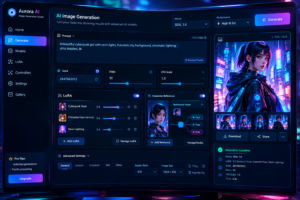
6. Keeping the Environment Separate from the Character
A common mistake creators make is blending the character’s description with the environment. If you say, “A girl made of water in the ocean,” the AI might blend her entirely into the background.
Always structure your prompt systematically:
- Medium/Style: (e.g., 3D children’s animation, oil painting, cinematic photo)
- Character Blueprint: (The detailed physical description)
- Action: (What they are doing)
- Environment/Setting: (Where they are)
- Technical Parameters: (Lighting, camera angles, seed numbers)
By keeping the subject and the background distinct in your prompt, the AI processes the elements separately, resulting in a much cleaner, consistent output.
Conclusion
Keeping consistent characters in AI prompts is a mix of art and science. It requires patience, a methodical approach to prompt engineering, and an understanding of the tools at your disposal. By creating strict character blueprints, utilizing seed numbers, mastering character reference features, and avoiding vague language, you can successfully create recurring characters for any project.
Remember, AI is a collaborative tool. The more precise instructions and parameters you provide, the better and more consistent your final artwork will be. Start experimenting with these techniques today, and watch your digital characters come to life with perfect consistency!
Frequently Asked Questions
Q1: Can I use ChatGPT to help me write consistent character prompts?
Yes! You can feed your character’s core details into ChatGPT and ask it to generate specific prompts for different scenes while keeping the core description intact. This saves time and ensures you don’t accidentally leave out crucial details like clothing colors or body type.
Q2: Does Midjourney’s
--cref work with non-human characters?Currently, character reference (
--cref) is optimized for human and humanoid characters. It may struggle slightly with abstract creatures, highly stylized animals, or complex mechas. For those, relying on strong text descriptions and seed numbers is recommended.Q3: Why does my AI character’s face change when I change the camera angle?
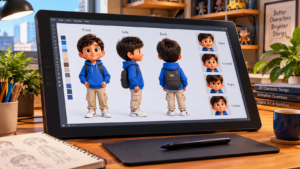
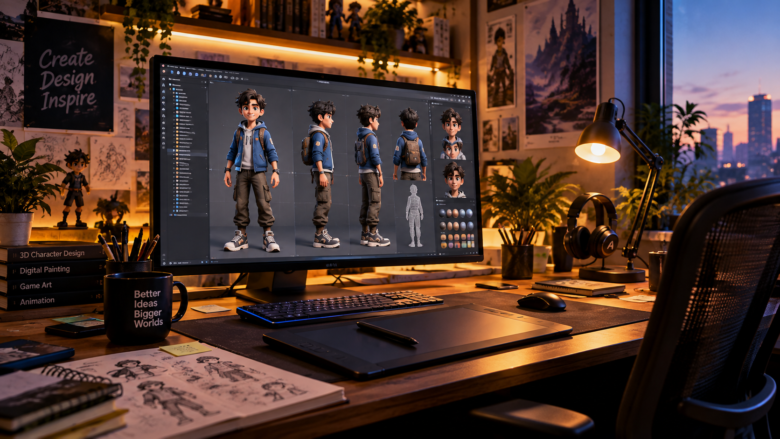
AI models process faces differently depending on the angle (profile vs. front-facing). To fix this, create a “character sheet” showing your character from multiple angles in a single image. Use this sheet as your visual reference moving forward.
Q4: Is it better to use Midjourney or Stable Diffusion for character consistency?
Midjourney is much more user-friendly and offers excellent consistency with its
--cref feature. However, Stable Diffusion provides absolute, pixel-perfect control through custom LoRA training and ControlNet, making it the superior choice for advanced users.Q5: How do I stop the AI from generating extra fingers or limbs?
While AI has improved, this still happens. Use negative prompts like
--no extra limbs, mutated hands, disfigured (in Midjourney) or use specific negative prompt boxes in Stable Diffusion. Additionally, framing the shot as a “medium portrait” or “torso shot” can hide hands entirely if they aren’t necessary for the scene.Sources & References
- Midjourney Official Documentation: Parameter guidelines on Seed Numbers and Character References (cref).
- Stable Diffusion Art: Guides on utilizing ControlNet and training LoRA models for character persistence.
- Prompt Engineering Best Practices: AI research papers on text-to-image synthesis and parameter isolation.
- Digital Storyboarding Forums: Community-tested methods for maintaining narrative consistency in AI-generated graphic novels and animations.